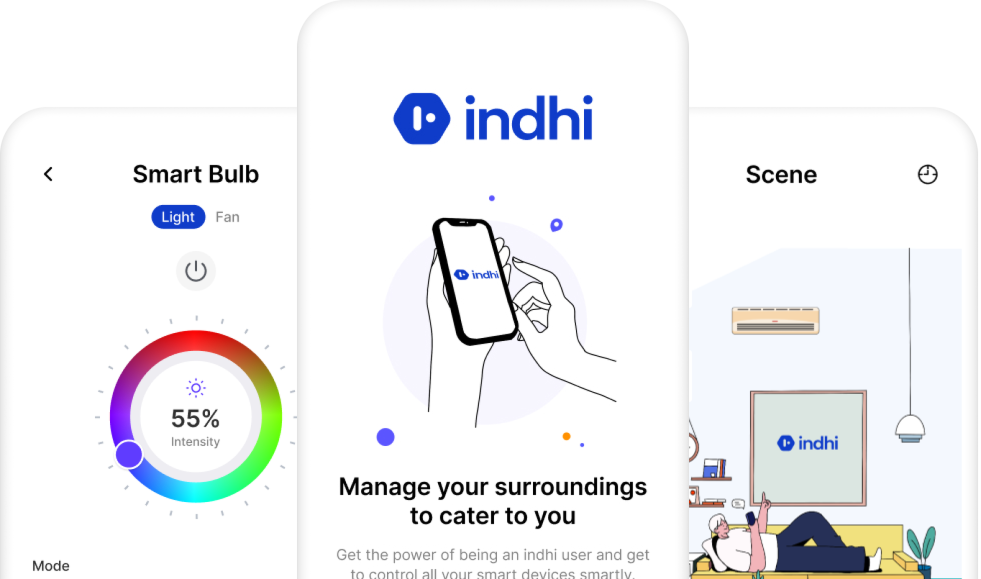
Indhi
IoT
OVERVIEW
Indhi IoT devices are equipped with various sensors, such as temperature, humidity, motion, GPS, and more, to capture data about their surroundings. These sensors enable the devices to gather valuable information, which can be analyzed and used for decision-making and process optimization.
The project was to design complete working mobile application following all principles.

INDUSTRY
IoT
ROLE AND DURATION
Design Lead, UI Design, Maintenance
2023
CLIENT
Project Scope
The project requirements is to design an intuitive and user-friendly interface for the app. Consider the specific features and functionalities that users will interact with to control and monitor the IoT devices. Pay attention to usability, responsiveness, and accessibility to ensure a seamless user experience.
Implement alert mechanisms within the app to notify users about important events or anomalies detected by the IoT devices.
Competitive Analysis
Staying Ahead in the IoT App Race: A Comprehensive Competitive Analysis and Actionable Insights
Smarteefi
Smarteefi Smart Switch and Smart Power Strip is a Wi-Fi enabled replacement to conventional switches and Power Strip giving you convenience to control your lightings and home appliances anytime from anywhere.
Pain points on Smarteefi
- Outdated UI designs, leading to frustration and difficulty in navigating and interacting with the IoT application. Users struggle to understand the functionality, find relevant information, or perform tasks efficiently.
- Slow network connections or high latency leading to delays in data transfer and app responsiveness.
Kamonk
You can set multiple timers to the switches. Schedule switch ON/OFF at different times and even plan specific duration control for various devices. Auto-regulate your switches when other devices turn ON/OFF. Automate settings according to your job requirements. Create smart scenes using mobile app. which gives you control of all your devices.
Pain points on Kamonk
- Poor customer care support.
- Premium subscription is not working and shut downs automatically
- Product working and closing same time
Halonix
Halonix is dedicated to evolve your typical lighting bulbs into smart lighting solutions with motion sensors and wireless communications. Control the temperature and air of your room with a smart fan range that comes with a remote.
Pain points on Halonix
- Difficult to find controls of devices and navigate them
- Slow app and frequent disconnections
- No automation and difficult to use.
Qualitative Interviews
Qualitative interviews method is used to gather in-depth information and insights from participants about their experiences, perspectives, beliefs, and opinions. Unlike quantitative interview, main focus was to collect numerical data, and aim to explore the richness and complexity of human experience.
‘Complex application to use. It’s very difficult to understand and navigate through entire app. I everytime get confused where is device control and automation option’’.
-Family
‘’I have used few IoT products and everytime it gets difficult to make scenes inside my home. Infact in many application there is no option like automation’’.
-Family
‘Switching between devices is frustrating sometimes and get into nerves. No option of adding favorites and all in one place’’.
-Family
User Flow & App Structure
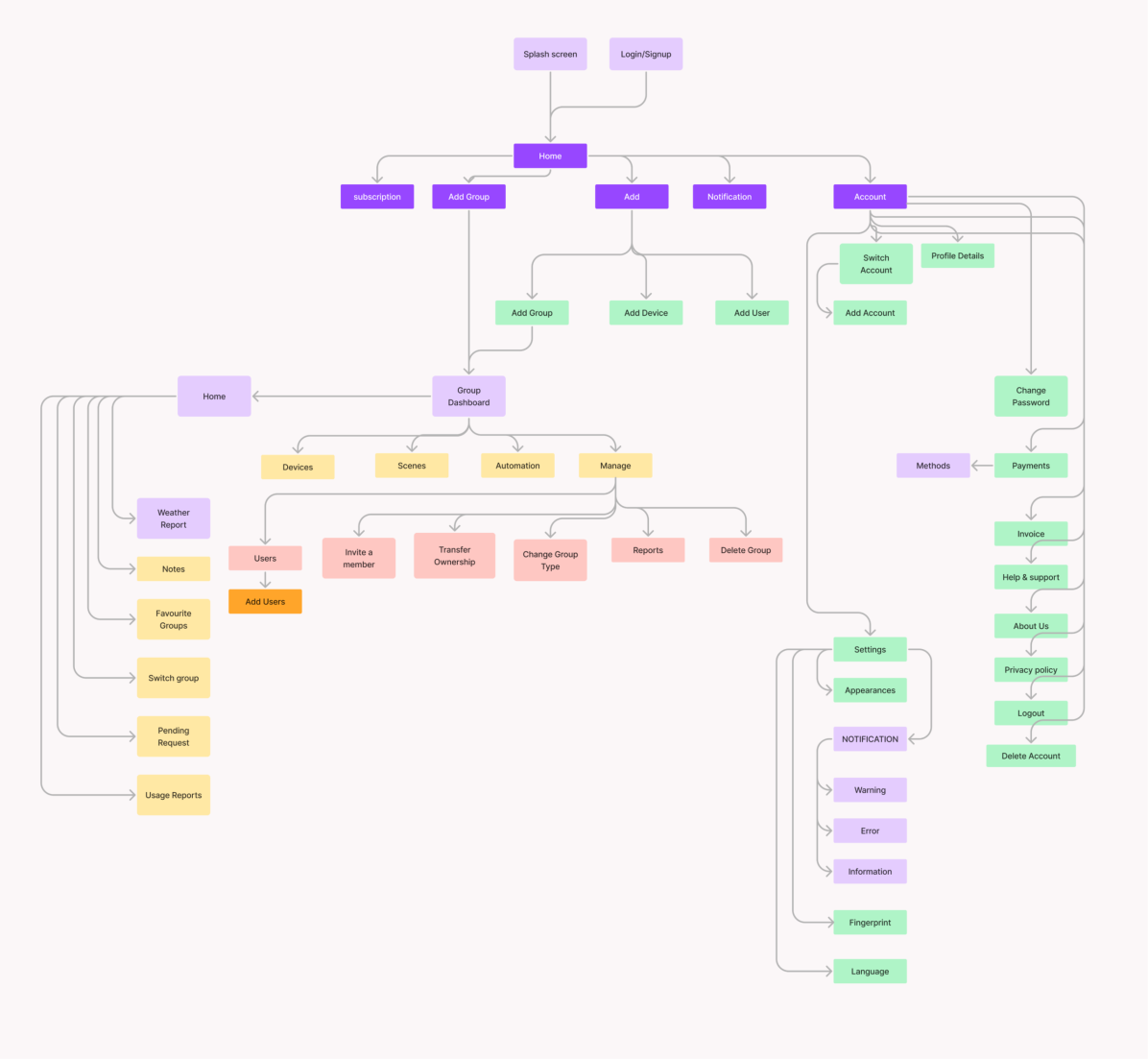
We constructed some rough user flow through entire application, and materialized the user flow of the application
functionality. Simple and clear user flow chart for main functions makes easy to analyze this project’s purpose – Clean and easy to use for our main targets.
Ideation
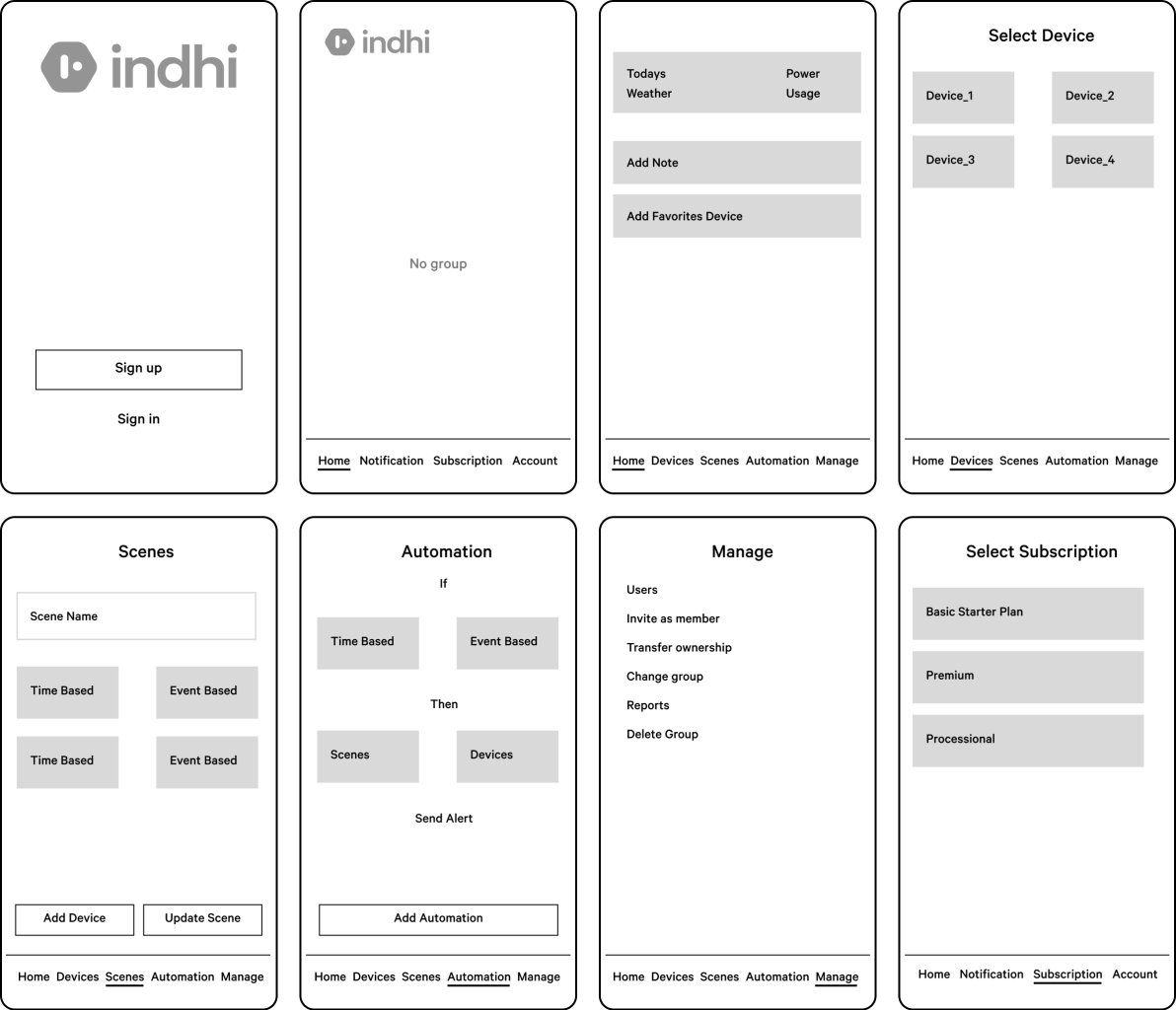
Designing a wireframes for a centralized control panel that allows users to manage and monitor various IoT devices in their smart home. Include features like temperature control, lighting management, security system activation, and energy consumption monitoring.
Visuals & Identity
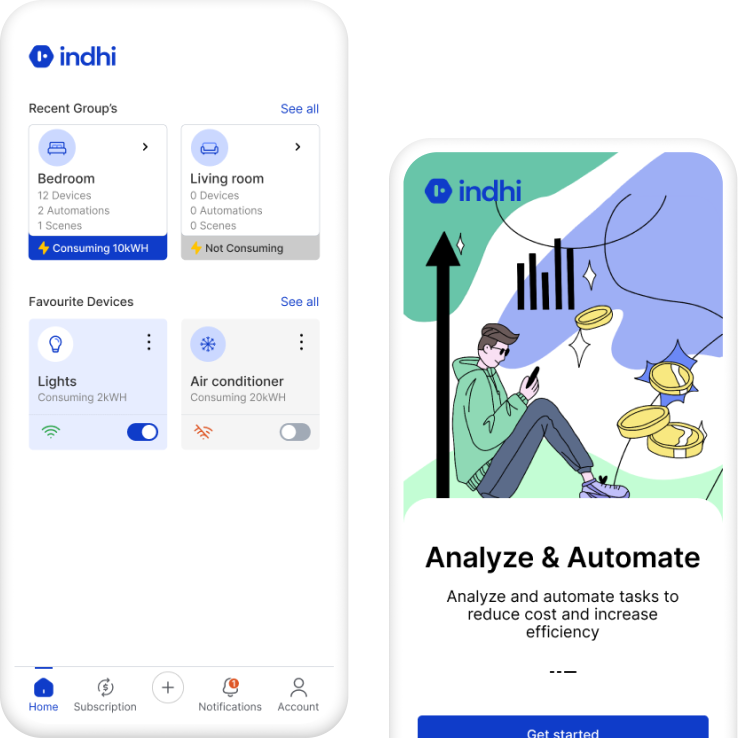
Intuitive user interface. Simple and clean screens make usability more easier
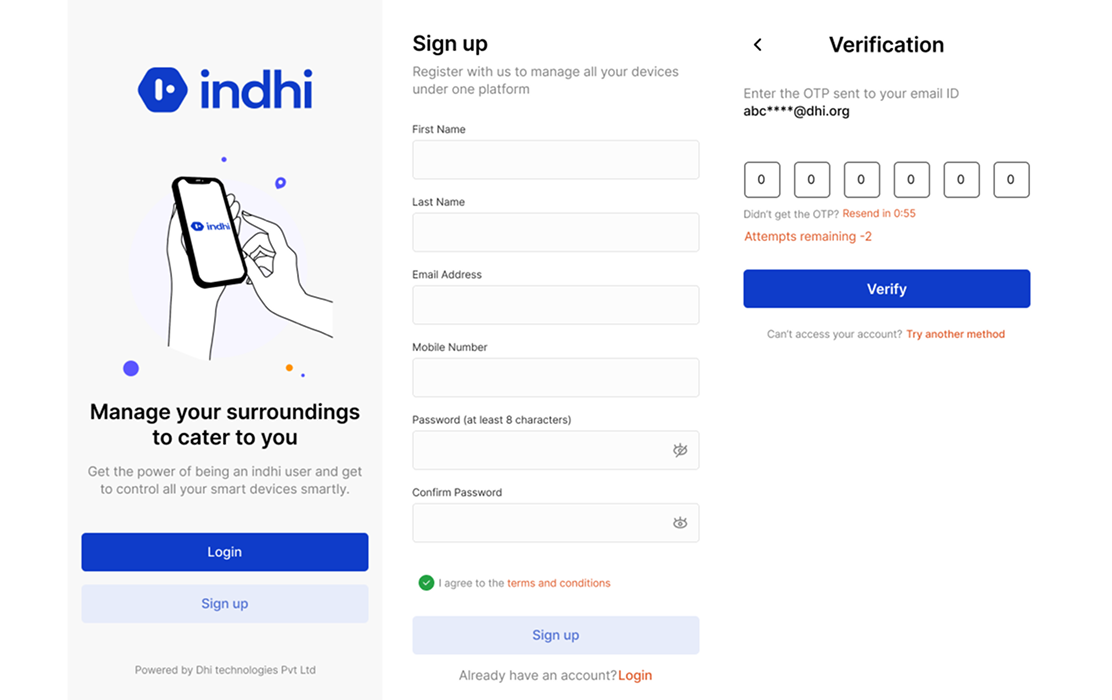
Splash Screen
Image/animation that appears when you enter the application. It is like saying ‘welcome’ to the user. The page that will keep the user busy until the app is ready.
Verified secured on-boarding
Implementing strong authentication methods such as two-factor authentication (2FA) or multi-factor authentication (MFA). The platform generates a unique, time-limited OTP and sends it to the user’s registered mobile number via SMS or email address.
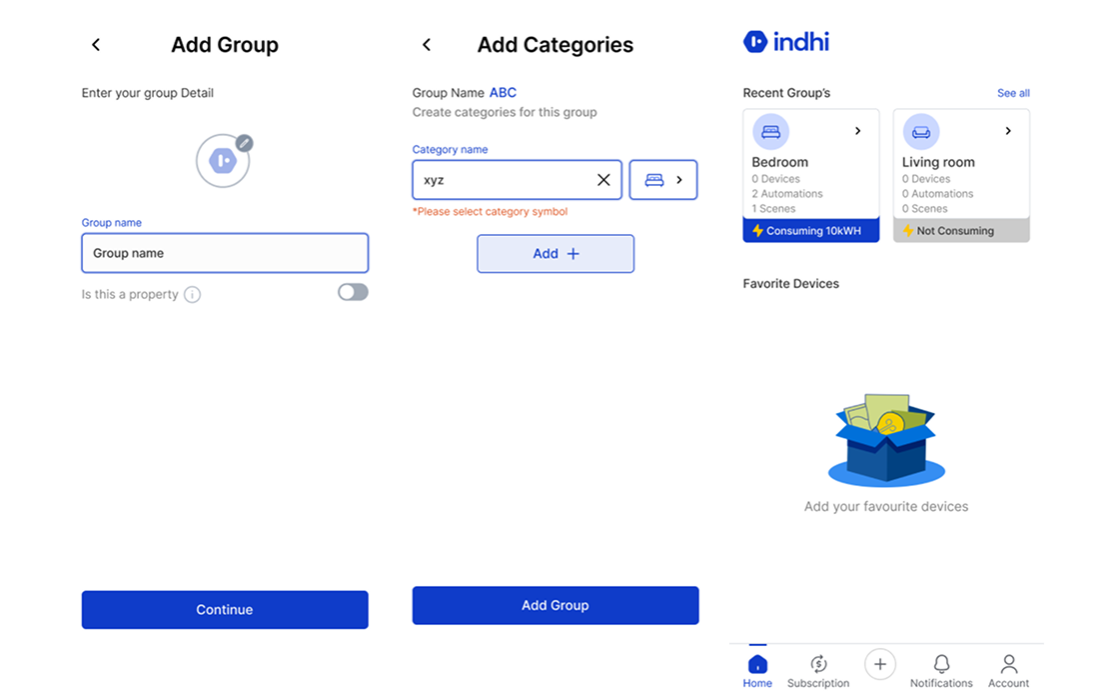
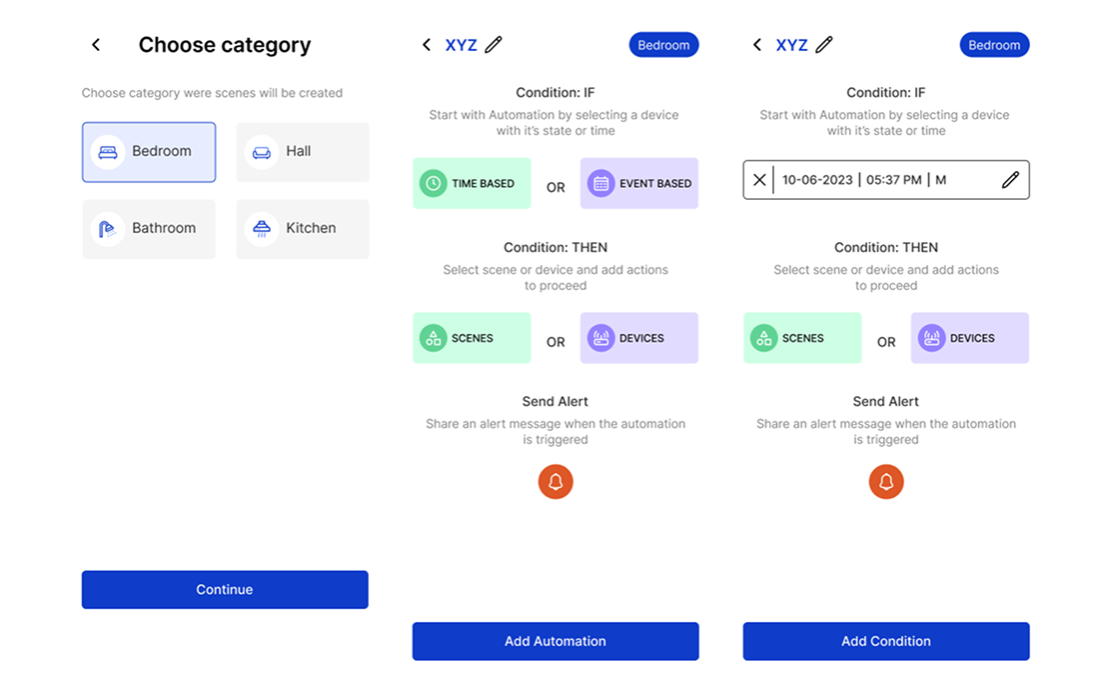
Making Groups & Categories
Group acts like your entire home and category is your rooms like bedroom, kitchen, hall, dining hall etc. Before adding a new device its important to have groups and categories.
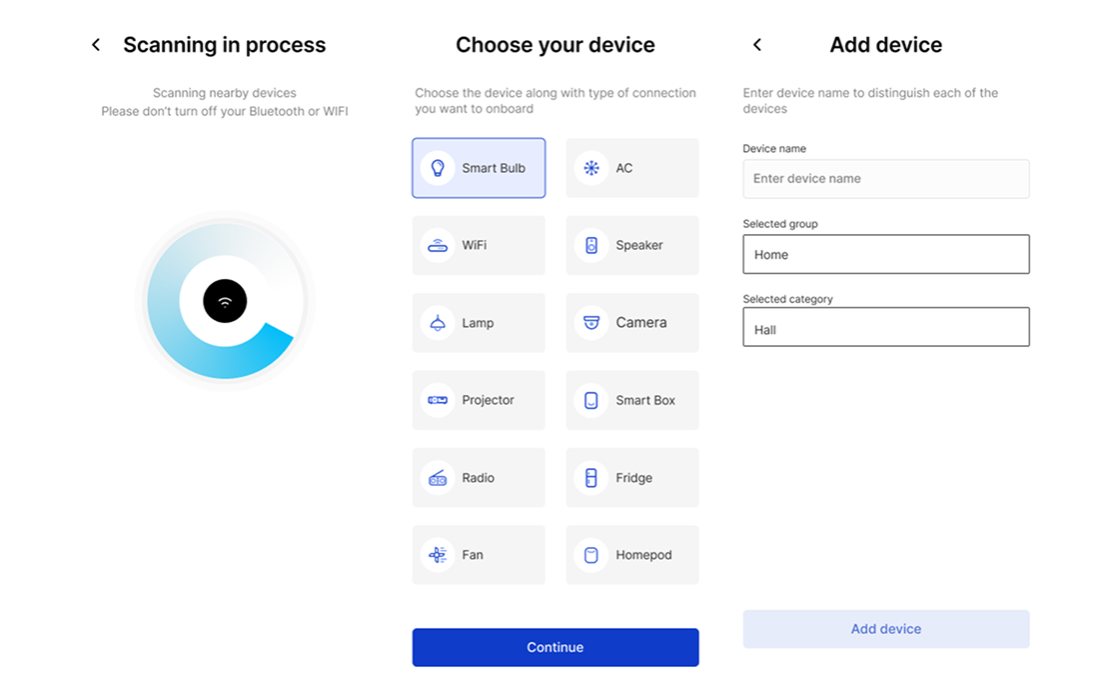
Onboarding your First Device
Now onboarding your device made easy with indhi, User just need a WIFI and simply login into indhi and connect the device with our simple and clean user journey experience.
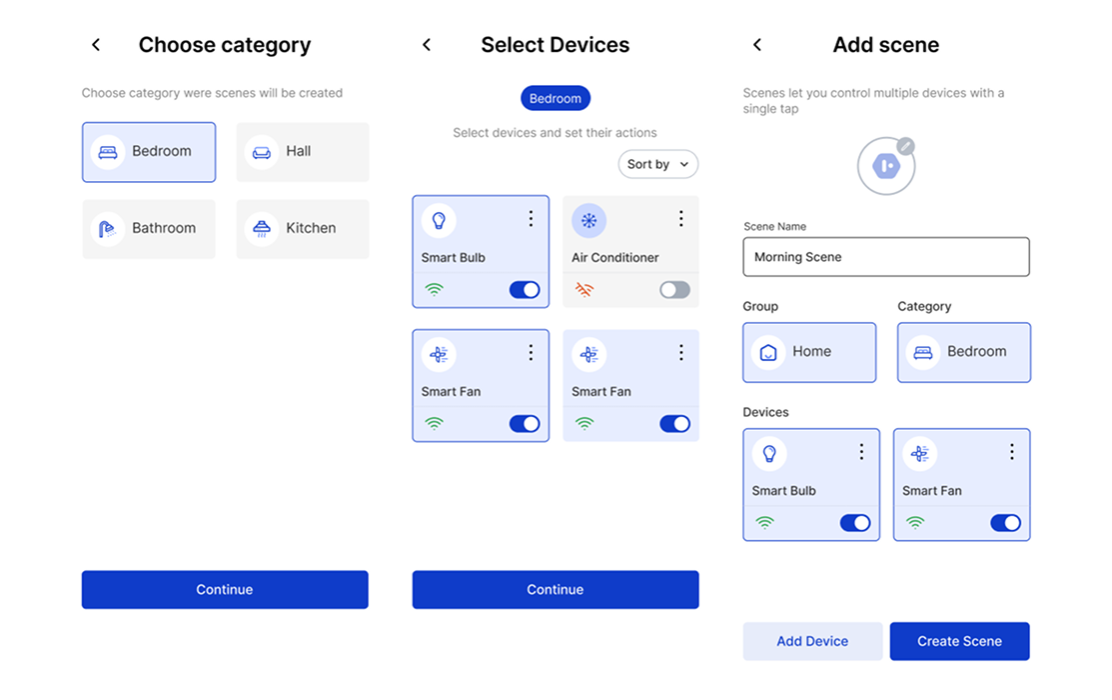
Creating Scenes
Scenes plays an important role in IoT. Its a collection of device in a category combined together and manually making it on/off whenever the user wants. User can simply add or remove device of choice and give control according to need.
Automation
Just like scenes, Automation in simple terms act like playing your selected scene or device on certain time or date or motion sensor. Just choose any one option from time or event and place your device or scene of that particular category.
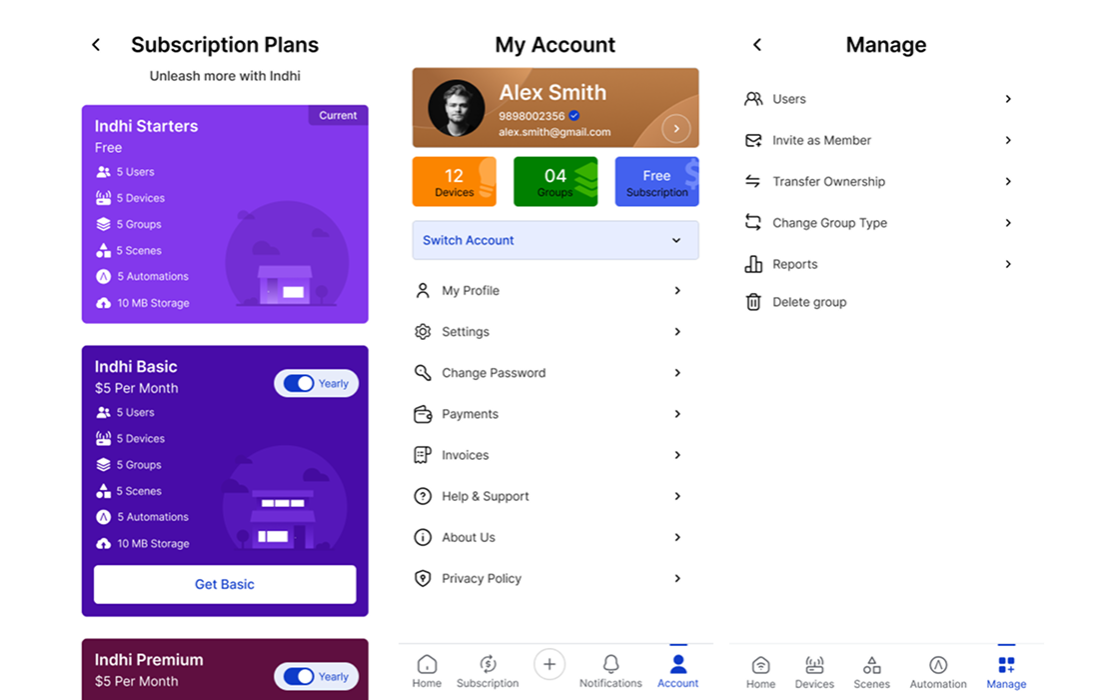
Payment, Account and Manage
Scenes plays an important role in IoT. Its a collection of device in a category combined together and manually making it on/off whenever the user wants. User can simply add or remove device of choice and give control according to need.
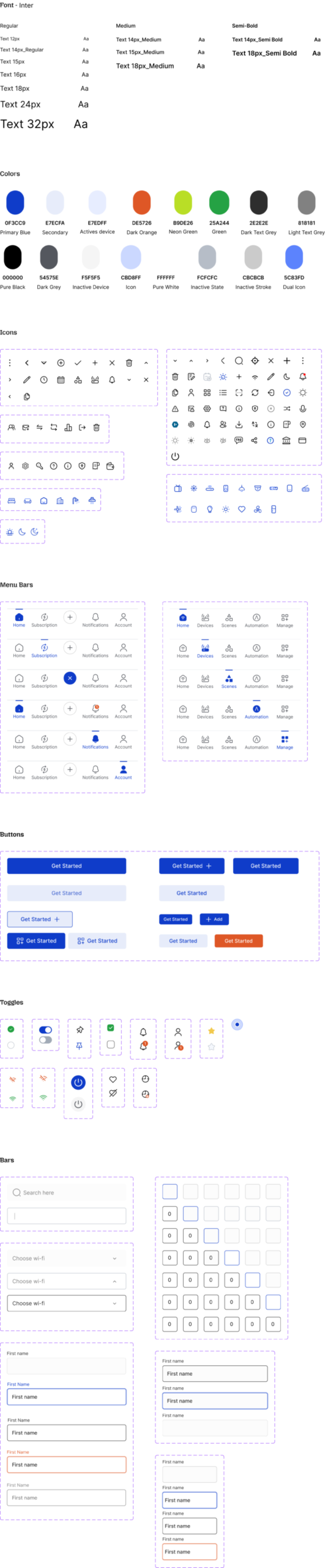
Integrated Design System and Kit
A perfect design system plays an important role in entire application. Clear and documented design principles define the overarching philosophy and goals of the design system. A library of UI components, including buttons, forms, navigation menus, cards, and more, is a fundamental part of the design system.
Project Learnings
1. Interdisciplinary Collaboration:
IoT projects typically involve multiple disciplines, such as hardware engineering, software development, data analytics, and user experience design. One of the key learnings is the importance of effective collaboration and communication between different teams to ensure seamless integration and successful project outcomes.
2. User Experience Design:
Designing intuitive and user-friendly interfaces for IoT applications is challenging. It include considering the context of use, optimizing device interactions, and providing clear feedback to users. User feedback and usability testing are valuable in iteratively improving the user experience.
3. Continuous Learning and Adaptation
IoT technologies and standards are constantly evolving. It is important to foster a culture of continuous learning, staying updated with the latest advancements, and being adaptable to embrace emerging technologies and trends in the IoT ecosystem.