BU Dashboard
Smart, customizable dashboard for managing classroom insights, assignments, and learning progress
OVERVIEW
Improving Classroom Decision-Making Through a Customizable Data Experience. This project redesigns the main dashboard for Benchmark Education — a digital platform used by K–5 teachers to manage literacy instruction, assessments, and classroom resources. The goal was to transform the dashboard from a static information page into a flexible, insight-driven workspace where teachers can quickly understand student progress and manage daily classroom tasks.
INDUSTRY
EdTech
ROLE AND DURATION
UI Design
2024
CLIENT
The Problems
Teachers interact with multiple tools daily — assignments, assessments, reports, and resources. However, the existing dashboard presented information in a fixed layout with limited prioritization, forcing teachers to:
- Navigate multiple sections to find important information
- Scan dense reports before identifying struggling students
- Adapt their workflow around the system rather than the system adapting to them
From a UX perspective, the dashboard lacked:
- Personalization
- Information hierarchy
- Task-focused workflows
This created friction during critical moments such as lesson preparation or student intervention planning.
The Opportunity
Teachers manage classrooms differently depending on:
- Grade level
- Curriculum focus
- Student needs
- District requirements
A single static dashboard could not support all workflows.
The opportunity was to design a modular dashboard system where teachers could:
- Prioritize the tools they use most
- Rearrange information based on their workflow
- Access insights faster
My Role
Responsibilities included:
- Product discovery
- UX strategy
- Information architecture
- Dashboard interaction design
- Widget system design
- High-fidelity UI
- Developer collaboration during implementation
Solution
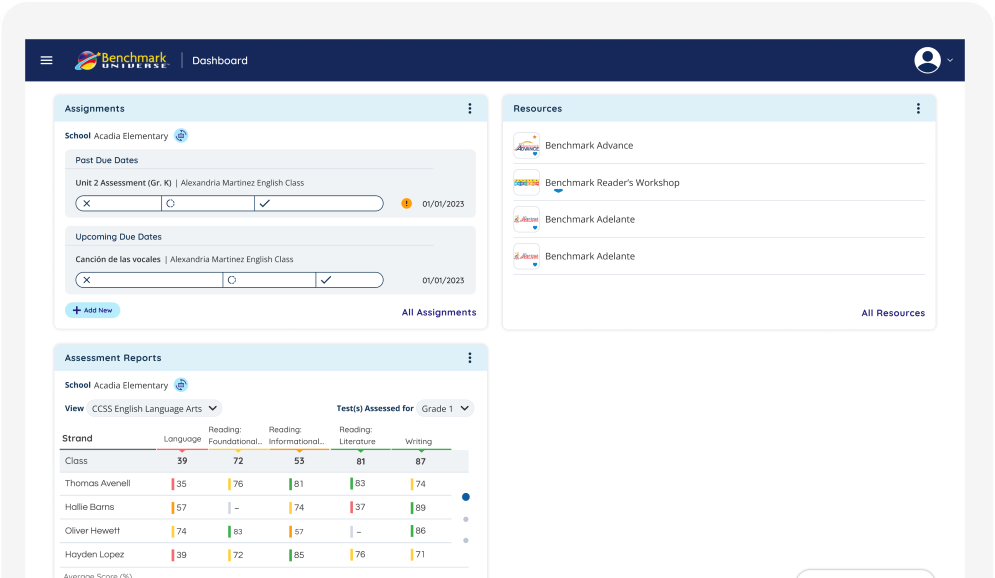
I redesigned the dashboard using a modular widget-based layout.
Each section of the dashboard became a separate card or widget, such as:
- Assignments
- Resources
- Assessment Reports
This makes the dashboard easier to scan and navigate.
Homepage
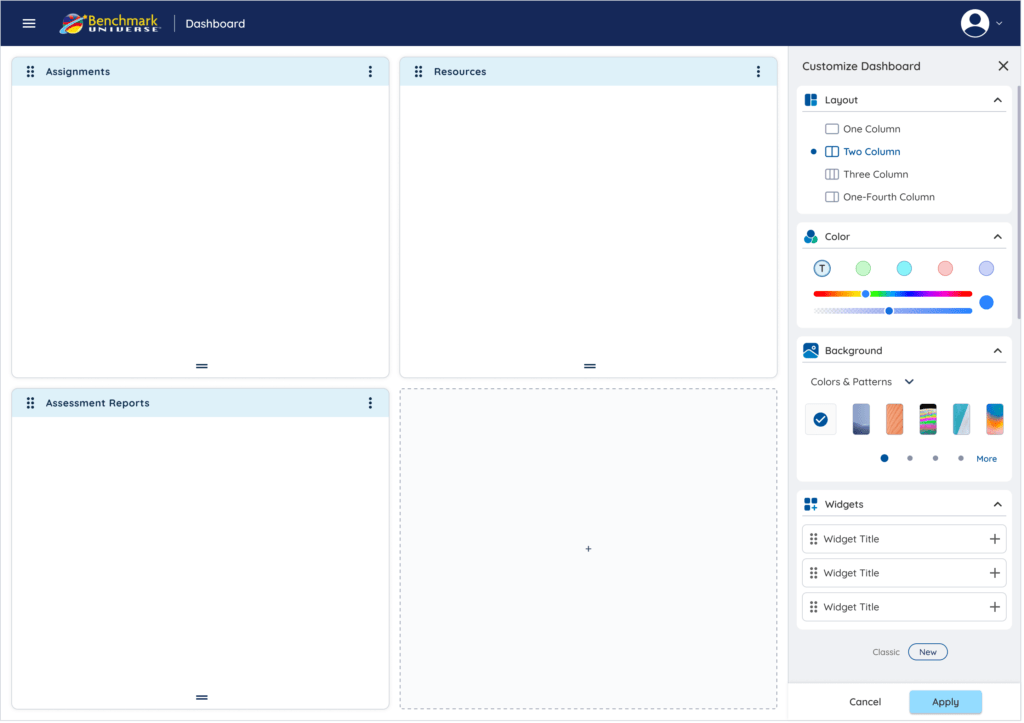
A side panel for quick customization, enabling users to adjust layout, widgets, and appearance without leaving the dashboard.
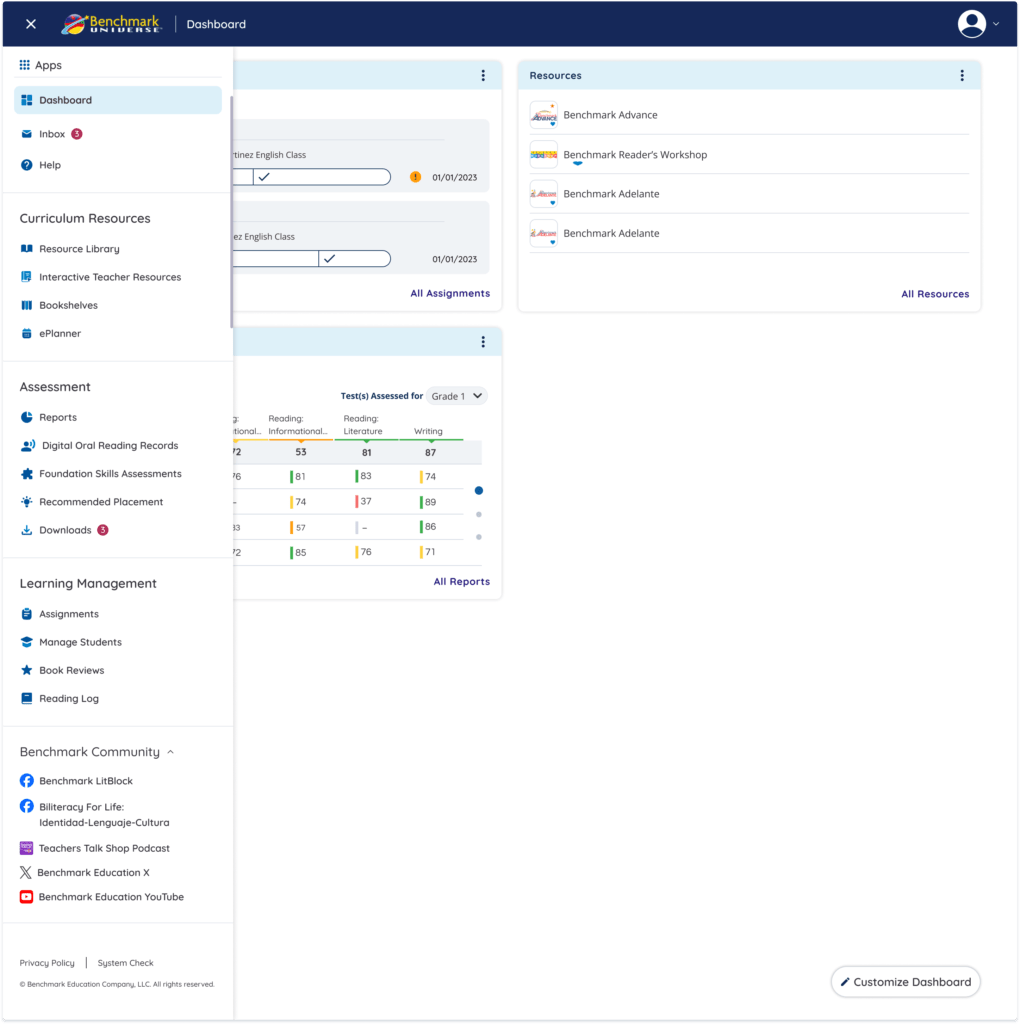
Menu
A simplified and well-structured navigation system that improves discoverability, reduces cognitive load, and enables faster task switching across the platform.
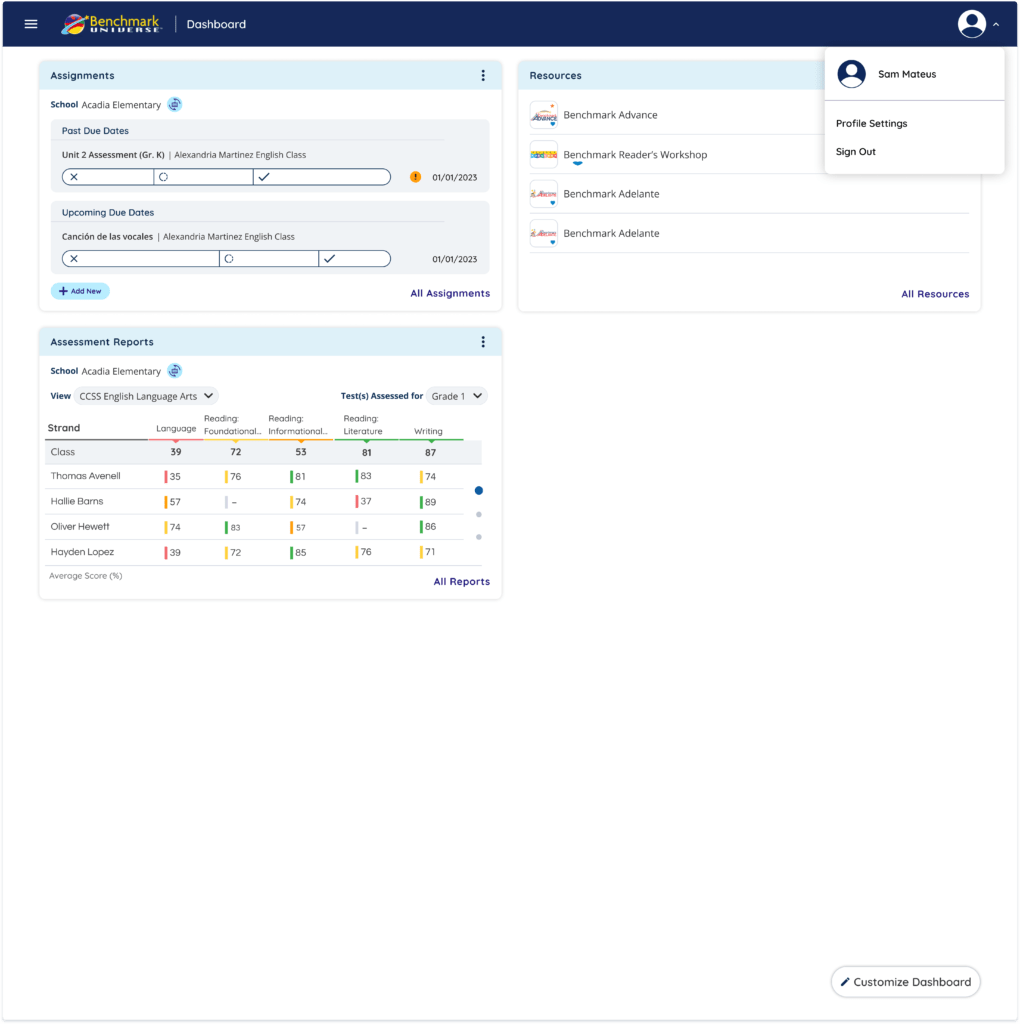
Seamless Account Access
A simple profile menu for quick access to account settings and actions.
Customizable Dashboard
One of the key improvements was adding a Customize Dashboard feature.
Teachers can now:
- Choose different dashboard layouts
- add or remove widgets
- rearrange dashboard sections
- personalize the dashboard appearance
This allows teachers to organize their workspace based on their own teaching workflow.
Navigation Improvements
The platform navigation was organized into clearer categories:
Curriculum Resources
- Resource Library
- Interactive Teacher Resources
- Bookshelves
Assessment
- Reports
- Reading Records
- Placement Tools
Learning Management
- Assignments
- Manage Students
- Reading Logs
This structure helps teachers find tools faster.
Impact
The redesigned dashboard improves the experience by:
- making information easier to scan
- reducing navigation time
- allowing teachers to personalize their workspace
- helping teachers understand student progress faster
What I Learned
This project reinforced that:
- dashboards should prioritize clarity over complexity
- customization helps support different user workflows
- presenting data visually improves decision-making